Posts

Babi dan Anjing

Image
 

Ngomongin Orang

Image
 

Spray Note

Image
 

Jamming di Ngoepi

Image
 

Basic Needs

Image
 

Pepatran

Image
 

Locu

Image
 

Side

Image
 

Marbles and Waves

Image
 

Eyes

Image
 

Waves

Image
 

Trying Procreate

Image
 

Installed Fonts Not Showing Up in Windows 11

Image
Windows 11 already provides an easy way to install new fonts. Just go to: Settings, Personalization, Fonts. Select the font files that need to be installed, drag and drop to the provided area. However, some fonts are not showing up in Windows applications, even though Windows notified that those fonts are already installed. Solution: Select the font files that need to be installed Right click on them Select ‘Show more options’ (Shift-F10) Select ‘Install for all users’ There you go, those fonts will be available for most Windows applications. Of course you need administrator privilege to do this. Thank you, hope it helps for those having the problem.  

Masalah Instalasi Fonts di Windows 11

Image
Windows 11 sudah menyediakan cara yang cukup mudah untuk instalasi fonts . Masuk ke Settings , pilih Personalization , lalu pilih Fonts . Font files yang ingin kita pasang tinggal di- drag’n’drop ke area yang disediakan. Namun kadang ada beberapa fonts yang tidak muncul di aplikasi walau sudah terpasang di Windows 11. Solusinya adalah:

You Don't Want My Answers

Image
  Vocals: @revinagel Bass: @alex_kuple Guitars: @richoz Drum: Drumdrops Turntable video by Beachfront at Videvo.

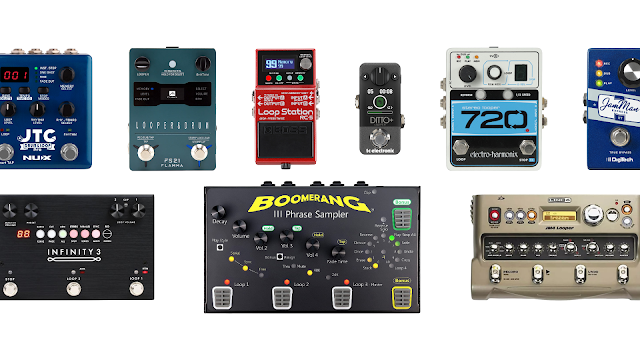
Where to Put Looper Pedal in Effects Chain for Live Performances

Image
  Think of the looper pedal as a recording machine, not as an effect pedal. With this logic, put the looper pedal AFTER all your other effects pedals, BEFORE amp/live mixer/PA. But this is not an exact rule. You can experiment by placing the looper pedal in between your other effects pedals.   Maybe it works for your setup, then it’s okay. Let us know in the comment box, what is your favourite effects pedals arrangement. ROCK ON!